

Approval and workflow state
Statuses, review steps and transition history help the team explain whether an asset is still in review, ready to use or no longer current.
A shared home for the working brand
When an agency starts a new layout or a regional team prepares a launch, they should not have to compare three logo packs or search an old email for the brand guide. Freedam keeps the approved file, its history and its usage context close together, with a clear way back to the source.
After a rebrand
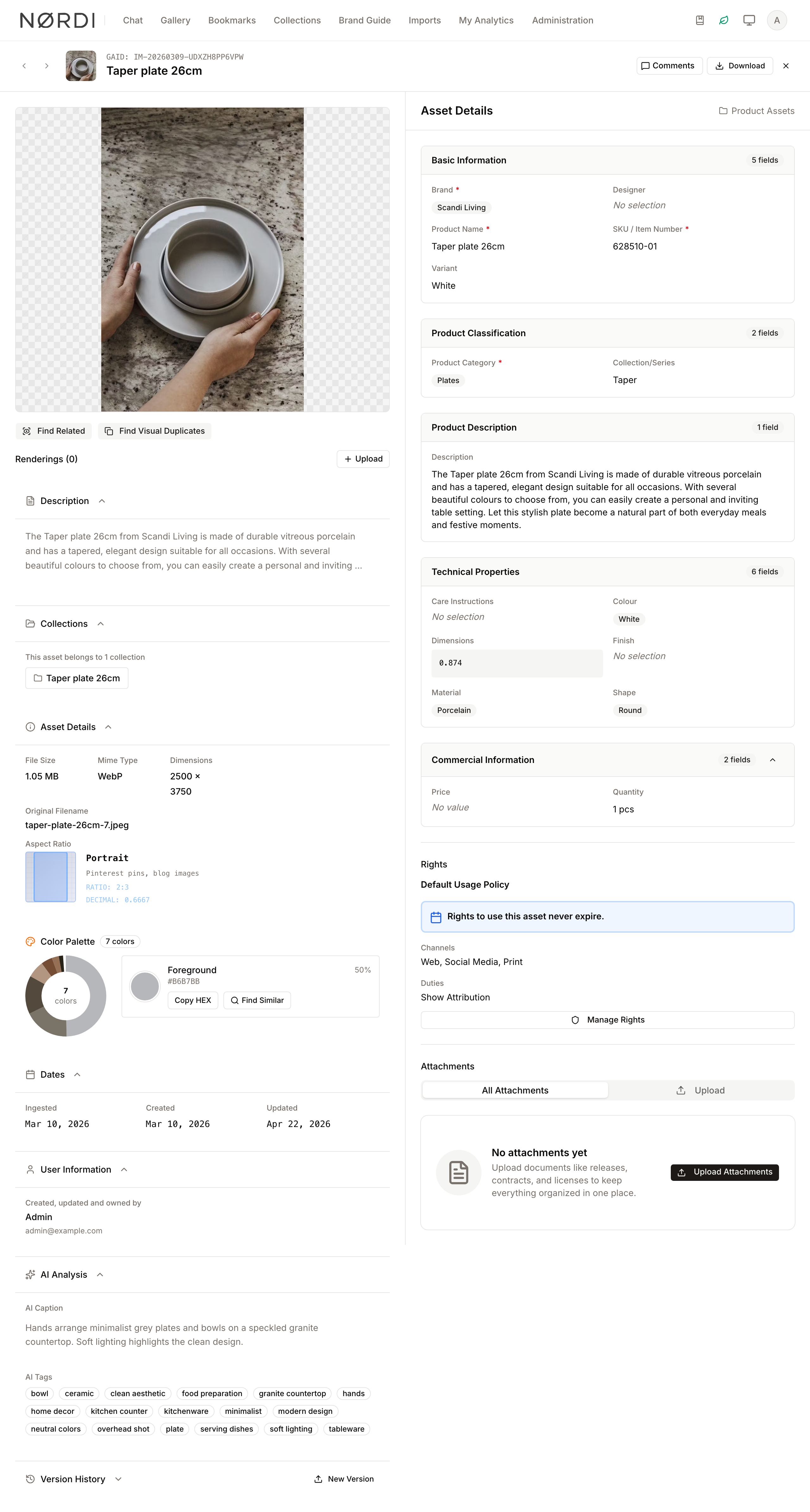
A new logo may be ready on Monday, while the old pack is still saved in presentation templates, agency folders and dealer desktops. Replacing the file on the existing asset means its product details, rights, collections and links continue to lead somewhere useful, while the previous version remains in the history for the people who need to trace it.
Upload the new artwork or image as a version of the asset people already know.
Use the team’s workflow to review the change and keep a record of how it reached its current state.
Let existing collections, portal pages and shares continue to point to the maintained asset.
Use status, archive, rights expiry and access rules to reduce the chance that the earlier version returns to circulation.
What a brand library may contain
A useful brand library may include logo families and their approved variants, product and lifestyle imagery, campaign creative and launch materials, brand guidelines and downloadable brand kits, templates and approved generated renditions.
The file format matters less than the role the asset plays. If a colleague or partner could use it to represent the brand tomorrow, it benefits from a clear version, owner and usage context today.
Finding an asset without knowing its history
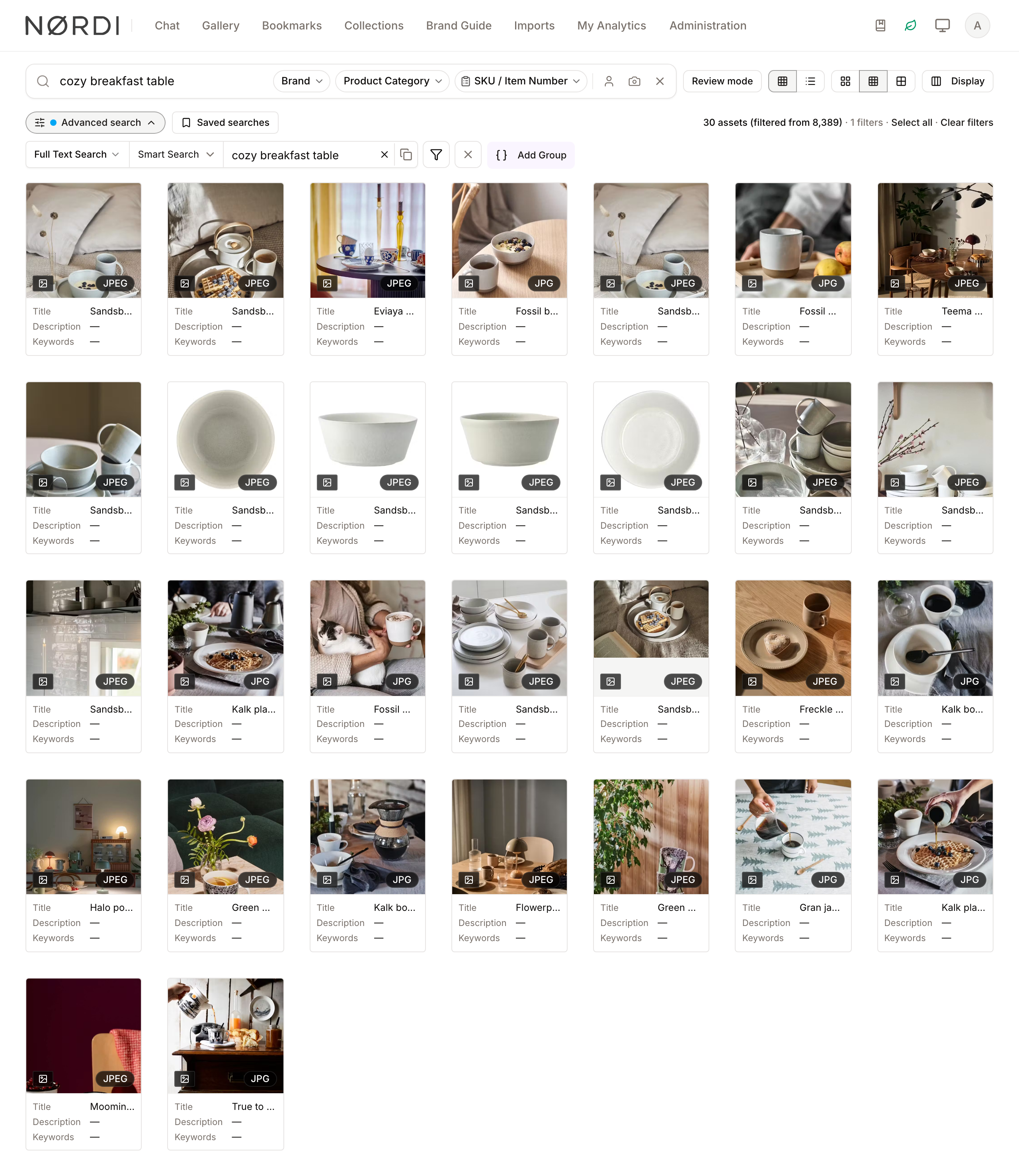
A product manager may search by SKU, an agency by campaign name and a salesperson by colour or subject. Product details, markets, channels, rights and approval state can all support those searches, while semantic and visual search help when the strongest clue is simply what the image looked like.
Useful context at download time
Statuses, review steps and transition history help the team explain whether an asset is still in review, ready to use or no longer current.
Expiry, channels, duties and territories can remain attached to the media record instead of living in a separate spreadsheet.
Collections, shares, guest rules, roles, groups and asset access rules help determine what each audience can see and download.
Guidance beside the files
The brand guide can show approved logos, emblems, colours, typefaces, exclusion zones and practical examples, with a downloadable kit for the complete set. Public collections and custom pages can then add the product or campaign context a particular audience needs.

Thinking about the scope
Situations we often hear about
A rebrand, product launch or new market has made it harder to know which versions are still being used outside the core team. The same logos, product imagery, campaigns, guidelines and templates need to serve colleagues, agencies and commercial partners. Approval, rights, expiry and permitted use would be more helpful beside the asset than in a separate document. Marketing would like a maintained bridge between its internal library and a branded experience for external visitors.
Situations where less may be enough
The main need is a home for general company documents rather than approved visual and marketing material. The brand has a handful of stable files that a small audience can already find without regular help. The primary requirement is specialist creative proofing or a template automation platform. The organisation is looking for full partner relationship or dealer management rather than a way to deliver approved content.
Questions buyers ask
Brand asset management is the governed part of DAM: keeping logos, product imagery, campaign materials, guidelines, and templates searchable, current, approved, and available to the audiences allowed to use them.
A new file version becomes current while the asset keeps its metadata, rights, collections, and share links. People returning to the governed asset see the updated file instead of an old attachment copied into another folder.
Rights policies can carry expiry dates and permitted-use details. Workflow rules can move assets into an expired status, while access rules can restrict whether expired or otherwise sensitive assets remain downloadable or shareable.
Freedam includes configurable asset workflows, reviews, approval states, and history, but its core job is the managed library and distribution of approved assets. Teams needing a highly specialized creative proofing suite should evaluate that workflow separately.
Continue exploring
These pages go a little further into the product, the decision or a related day-to-day situation.
Solution
See the broader media library, discovery, migration, and audience-fit decision.
Read moreDistribution
Turn the governed brand source into a curated self-service destination.
Read moreProduct
Explore keyword, metadata, semantic, visual, and person-search capabilities.
Read moreProduct
Review roles, groups, access rules, shares, collections, and operational controls.
Read moreProduct
Keep expiry and permitted-use context attached to the brand asset.
Read moreSee the complete asset journey
The demo shows the working library, version history, rights, brand guidance and public portal as they really appear in Freedam.
Curious how yours would look? Generate a brand center from your website, free, in about a minute.