Freedam

A steadier way to support the dealer network

One campaign destination for every dealer

Instead of preparing a slightly different ZIP for each request, marketing can publish the approved product images, brochures, social formats and brand guidance together. A dealer can browse the set, choose the file that suits the local job and return to the same place when a version is updated.

Freedam looks after the marketing-content part of the journey. Orders, territories, leads and incentives can remain in the systems already used to run the dealer programme.

Nordi, the demo brand
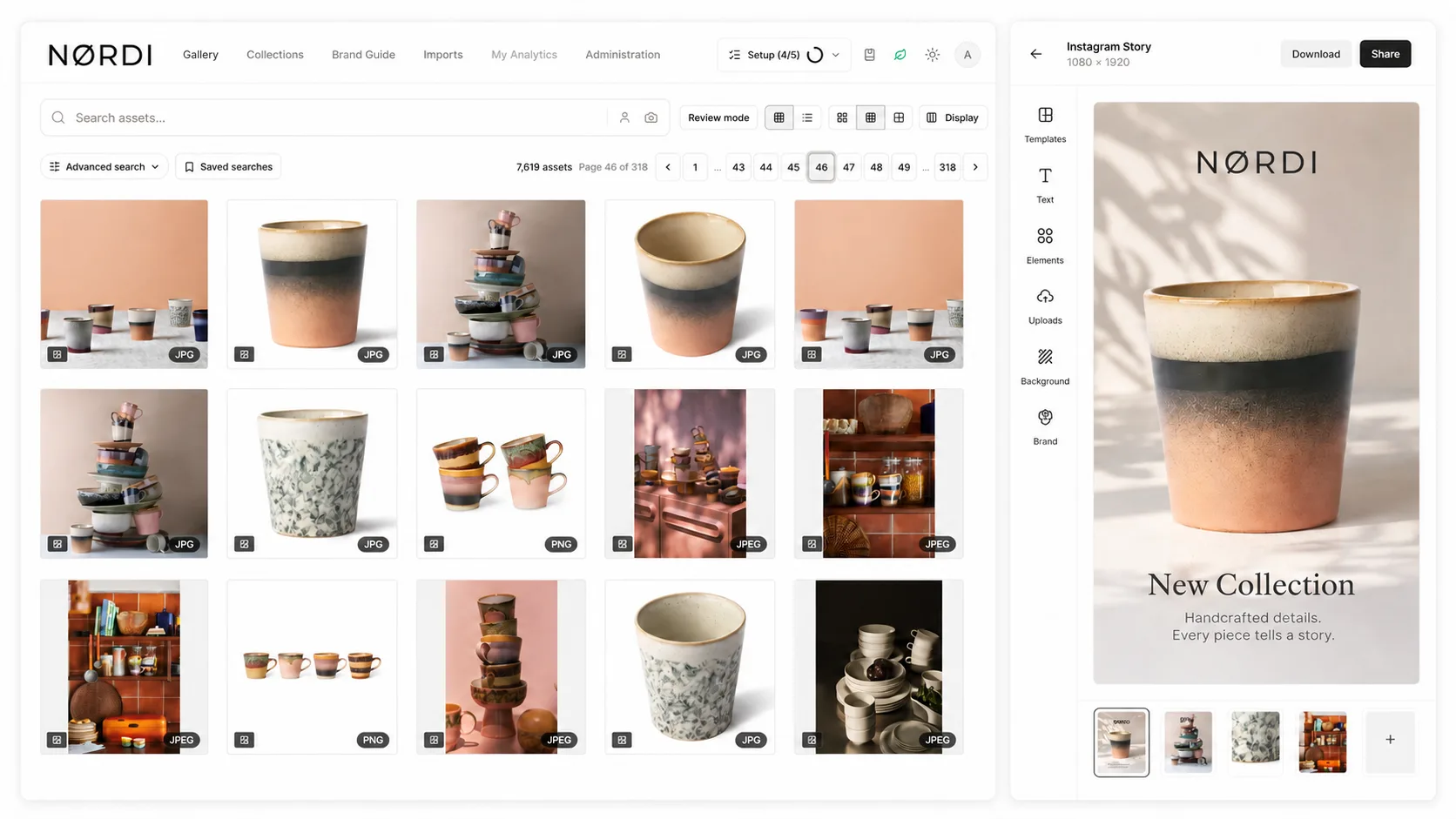
The Nordi asset library on the left, and an Instagram Story built from an approved Nordi mug pack shot on the right
An approved Nordi pack shot, picked from the brand library and turned into a ready-to-post Instagram Story. Dealers start from the approved image, so the post matches the brand.

From campaign approval to local use

From approval to local use

  1. 01

    Marketing approves

    The final campaign set keeps its product details, version, approval state, rights and permitted-use information close to each asset.

  2. 02

    Marketing publishes

    Marketing places the approved files in a public collection, protected share or signed-in route that fits the dealer audience.

  3. 03

    Dealers self-serve

    A dealer can browse, search and preview the campaign, then download the current size or format made available for the job.

  4. 04

    Old material leaves circulation

    When marketing replaces, archives or expires an asset, the maintained source changes what visitors can see or download the next time they return.

From a package to a destination

From a package to a live destination

With emailed or transferred packages

Marketing assembles a ZIP, sends it by email or transfer link, answers format questions, and repeats the exercise for the next dealer. Old packages remain locally available after a product image, price sheet, or licence changes.

With a destination marketing continues to maintain

Dealers use a portal, collection, share, or signed-in view. Marketing updates the governed asset, its rights, status, and curation. The external route keeps pointing at the current source instead of a detached archive.

When the campaign changes

When the campaign changes

Keep the familiar asset

Upload the new version while keeping its product details, collections, rights and live links on the asset people already use.

Let the rights date matter

A workflow can move an asset into an expired state when the date on its attached rights policy has passed.

Reflect the change in access

Access rules can then change visibility, previews, watermarks, downloads or request options for that asset and audience.

Product catalogs

Build a product catalog for each dealer network

Instead of a PDF that is out of date the week after it is sent, marketing publishes a catalog page per range or market, built from live collections. Dealers and distributors browse it, filter it and download from it, and it is current the moment an asset changes.

One collection per range or market

Group the products a dealer network sells, with pack shots, lifestyle images, spec sheets and pricing files side by side.

A catalog page dealers can browse

Custom pages turn the collection into a catalog with a banner, intro and product grid, in several languages, on your portal domain.

Distributor-specific access

Publish it on the public portal, behind a protected link with expiry and watermarks, or to signed-in distributor accounts only.

A PDF when they need one

Select the products and export a contact sheet or portfolio PDF for a trade fair or an offline sales visit.

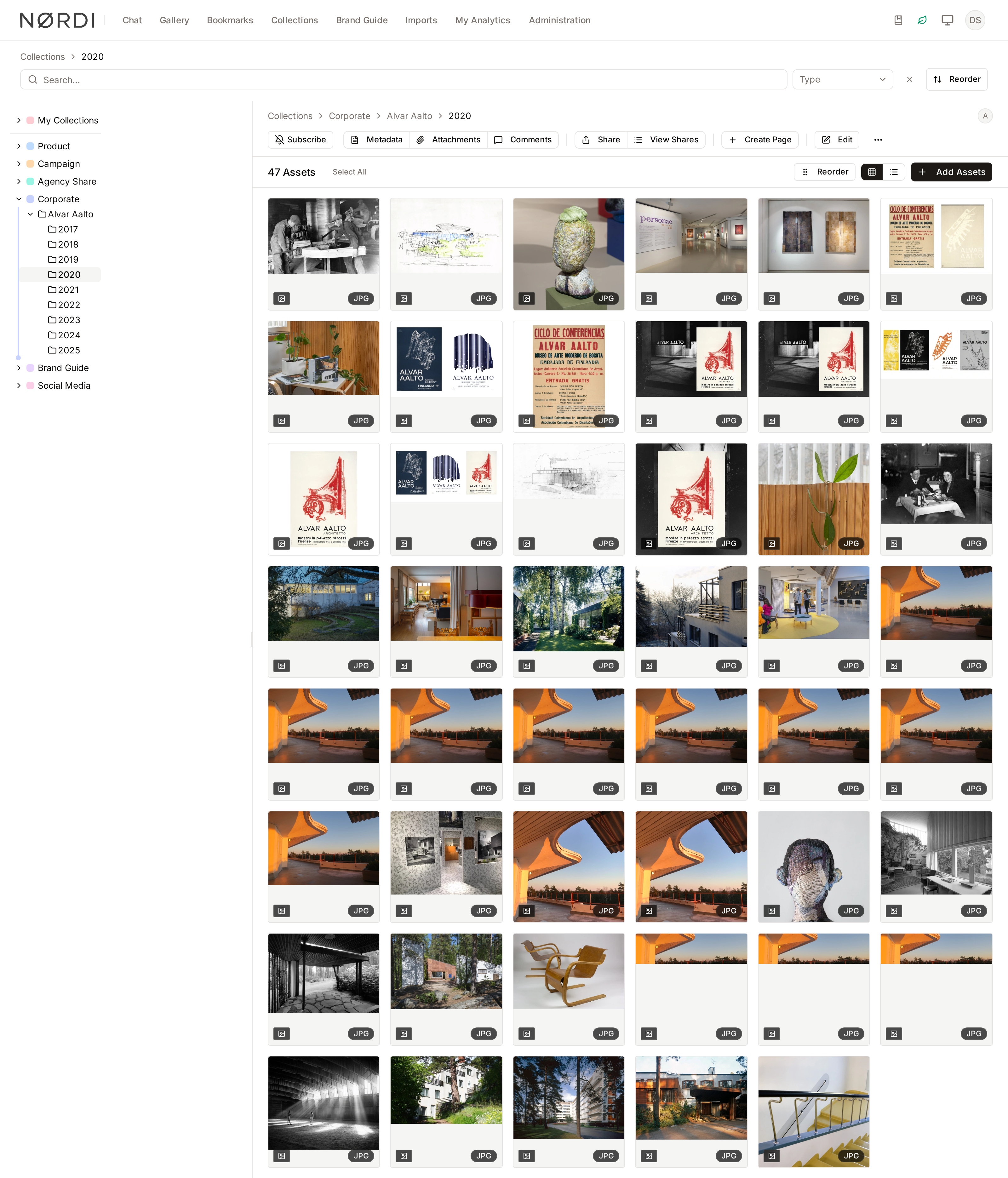
A Freedam collection page listing a product range, the building block of a dealer catalog
A collection is the catalog's source: one per range, market or launch. Its page is what the dealer sees, and it updates itself when an asset is replaced.

Questions buyers ask

Before you make the change

Can dealers access content without a Freedam account?

Yes, when a public read-only portal or external share is appropriate. For a controlled signed-in audience, roles, groups, collection visibility, and asset access rules provide an account-based route.

What happens when marketing replaces a campaign file?

The new file becomes the current asset version while its metadata, collections, rights, and existing share links stay attached. Dealers returning to the live source see the governed current file.

Can expired campaign assets be removed from use?

Rights policies can carry expiry dates, workflows can move assets into an expired status, and access rules can prevent download or sharing based on status and other asset conditions. Expiry is governed withdrawal, not silent deletion.

Does this replace dealer or distributor management software?

No. The workflow covers approved marketing-content delivery. It does not manage dealer orders, territories, incentives, leads, commissions, MDF, certification, or the wider commercial relationship.

Walk through a familiar launch

Walk through a dealer launch

The working demo shows the public portal, gallery, rights, versions, collections and download controls, so you can picture the hand-off with your own campaign material.