

Sales
A salesperson preparing a presentation with the current product images and brochure
Brand portal software
People can browse a clear, branded selection and see what is ready to use, which usually means less digging through old emails or asking marketing to resend a pack. The uploads, draft collections and internal conversations behind it stay with your team.
The portal shows approved, current files and is read-only for visitors. Draft work, proofing and the conversations behind an asset stay with the internal team.
The problem
Without a portal
Files get passed around as attachments and fall out of date
The agency looks for the logo pack in an old email. Sales reuses last quarter’s ZIP. A dealer opens a product image saved on their laptop. The approved files exist, but people are not always sure where to find them.
With a brand portal
One link to the current version
Everyone uses the same address. When marketing updates a logo, image or brochure, the portal shows the new version, and a link you sent last year still works.
Who sees what
Visitors only see the pages, collections and files prepared for them. Private uploads, draft work, comments, workflows and administration stay with the internal team.
Sales
A salesperson preparing a presentation with the current product images and brochure

Agency
An agency beginning a new piece of work with the approved logos, imagery and guidelines

Press
A journalist looking for a publication-ready logo and a small set of press images

Dealers
A dealer, distributor or retailer preparing local material from the current campaign
Access
Most visitors want to browse and download. You can offer a public portal, a protected link or a sign-in, depending on how sensitive the files are. Visitors do not need an internal account to get their files.
Useful for material you are happy for anyone to find, such as logos, press images and brand guidance. Visitors can browse and download without creating an account.
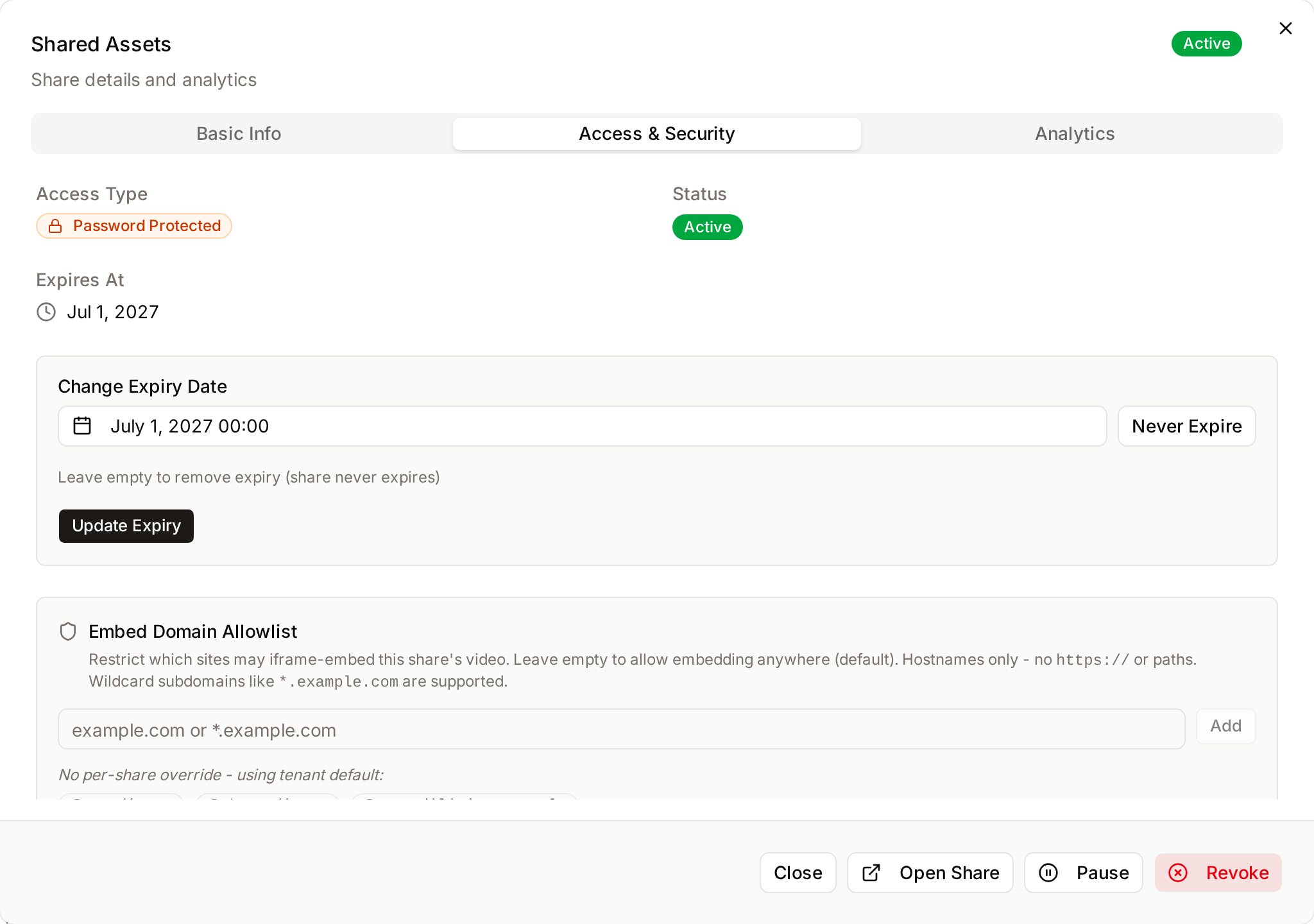
A launch pack or agency selection can be sent as a public or password-protected link, with an expiry date, an email allowlist and the download choices you set.
When access should depend on named people or groups, visitors who sign in see the collections and assets made available to them.
Workflows
What marketing does in Freedam and what visitors see, for some of the requests brand teams tend to get most often.
Workflow 1
Workflow 2
Workflow 3

Alongside the files
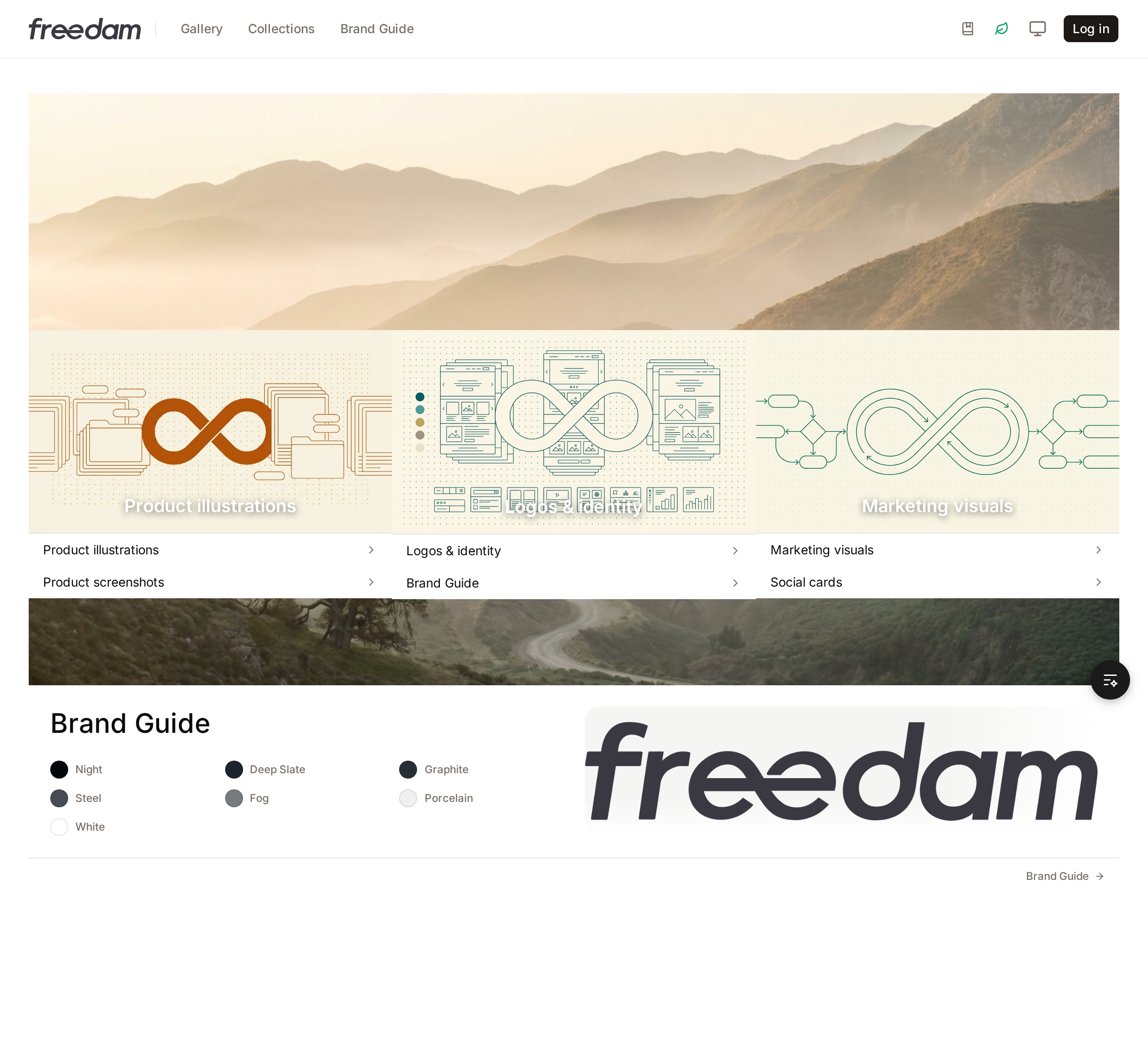
Show the approved logos, colours and typefaces, explain common usage choices, and offer a brand kit for people who need the complete set.
Introduce a campaign or product range with text, media and collection galleries before visitors choose individual files.
Use your logo, colours, sign-in imagery and page themes so the portal looks and feels like part of your brand.
Analytics
It helps to know how a portal is being used. Freedam shows this without adding much reporting work for marketing.
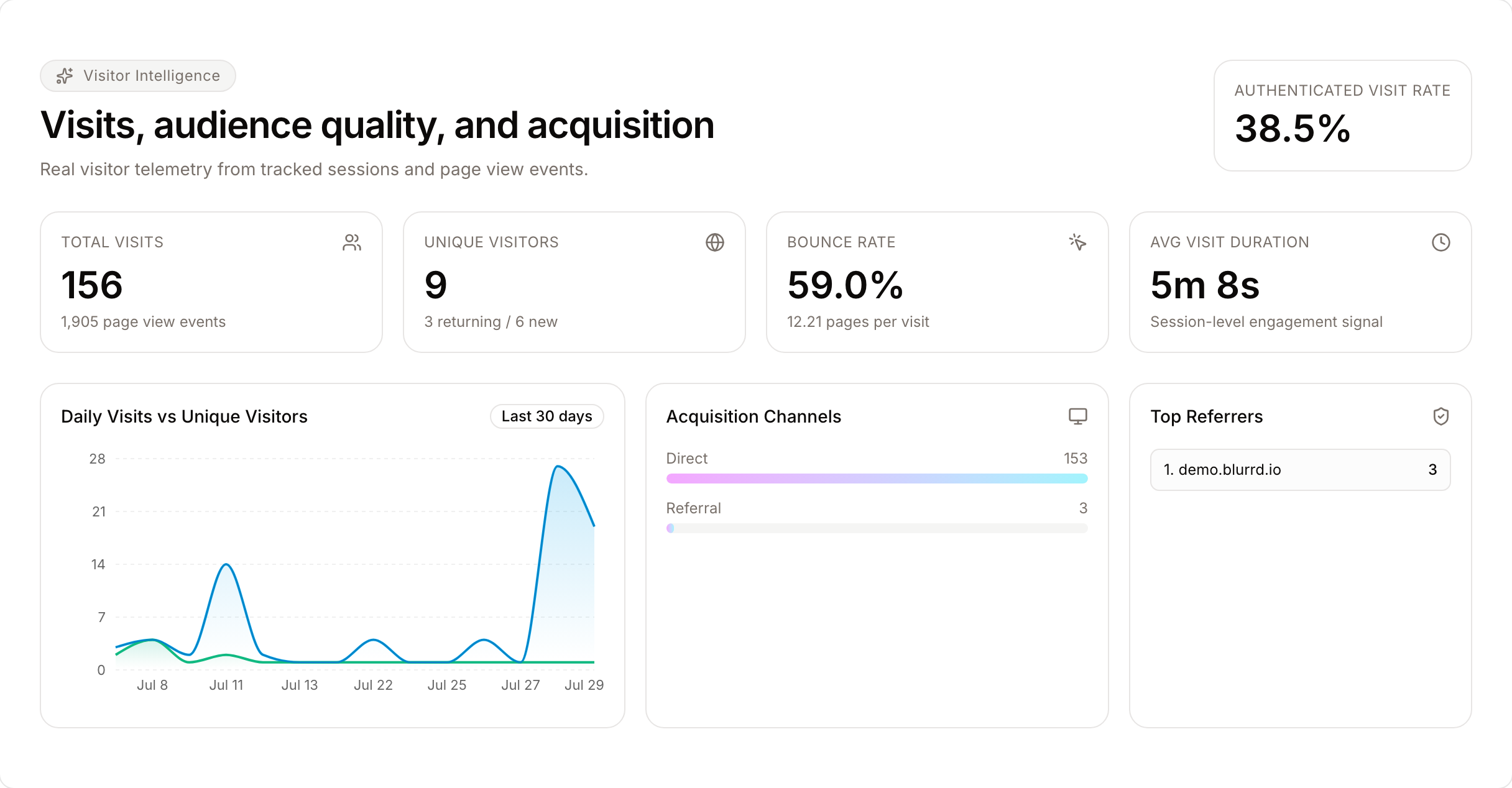
Each share link records its views and downloads, and signed-in activity is linked to the person. You can see which collections, files and links people use, and which ones they rarely open.
Daily activity, last-accessed times and top and trending assets over 7, 30, 90 or 365 days can show how a launch is doing, whether interest in a campaign is dropping or whether a partner has stopped downloading.
Each night Freedam looks over the activity and suggests what may need attention: content gaps shown by searches with no results, unused or declining assets, missing variants and thin metadata, ranked by priority.
Questions buyers ask
It is a read-only selection of approved assets, public collections, custom published pages and the brand guide, put together for people outside your team. Visitors do not see private collections, editing tools, version history or the rest of the internal workspace.
Yes. With the Public Portal, visitors can browse published pages, public active collections, the gallery and the brand guide without an account. Guest asset rules let you decide what they can see, preview, download or request, and whether previews carry a watermark.
Yes. A share link can be public or password-protected, with an expiry date, an email allowlist and the download options you choose. For people who sign in, you can use roles and user groups.
When you replace an asset file, Freedam creates a new current version and keeps its metadata, collections, rights and share links. Published collections and live shares keep pointing at the same asset, so partners usually see the new file the next time they open them.
Continue exploring
These pages go a little further into the product, the decision or a related day-to-day situation.
Guide
A free scorecard of 40 requirements to test in a trial, with a scoring method, pricing questions, and a launch plan.
Read moreGlossary
A short definition of portals, their usual components, and how they differ from a DAM library.
Read moreSolution
Turn one campaign PSD into local versions with each dealer’s products and language.
Read moreSolution
Publish a campaign once with enough context for each dealer to pick the right material, along with a live catalog page per range or market.
Read moreProduct
The roles, groups, access rules, collections, shares and audit controls behind sharing.
Read moreProduct
Keep permitted use and expiry dates with the asset itself.
Read moreSee it as a visitor would
In the demo you can browse the portal as a visitor, then see how versions, rights and access are managed behind it.
Curious how yours would look? Generate a brand center from your website, free, in about a minute.