
Freedam
vsFreedam

Freedam vs Google Drive

Google Drive is great for documents. Your media library deserves better.

Honest verdict up front: if your team mostly works in Docs and Sheets and keeps a modest set of images, Drive is probably enough - keep it. Drive breaks down when media becomes the work: finding the right visual among thousands, tracking usage rights, distributing approved assets to partners. That's the job Freedam is built for.

At a glance

Capability facts, not scores. Both tools store and share files - the differences start where media management begins.

CapabilityFreedamGoogle Drive
File storage & sharingYesYes
Document collaboration (Docs, Sheets)NoYes
Search inside documentsYesYes
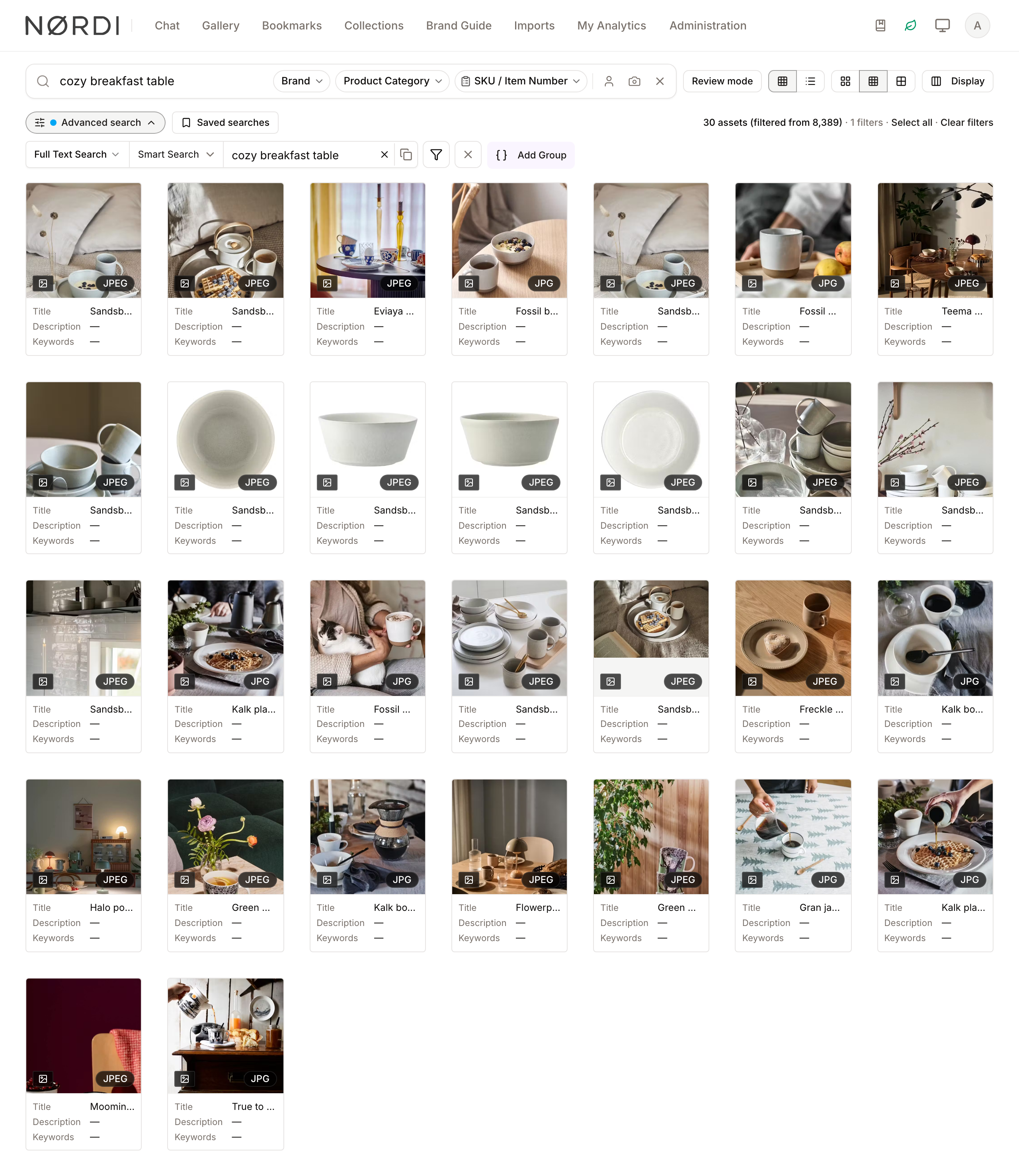
Semantic search ("cozy breakfast table")YesNo
Visual similarity searchYesNo
Face recognition searchYesNo
AI tagging & captions on uploadYesNo
Structured metadata & custom taxonomiesYesNo
Automatic renditions & format conversionsYesNo
RAW / PSD / design-file previewsYesPartial
Granular permissionsPer asset, role, and groupFolder & file sharing
Brand portals for external distributionYesNo
Usage-rights & consent trackingYesNo
Approval workflowsYesNo
Self-hosting optionYesNo

The honest verdict

Choose Google Drive if…

  • Your team already lives in Google Workspace and Drive is bundled with it.
  • Documents and spreadsheets are the core of your work, with images on the side.
  • Your media set is small enough that folder discipline and file names still find things.
  • Real-time co-editing of Docs and Sheets matters more than media workflows.
Choose Freedam if…

  • Your team loses time hunting for the right photo, video, or design file.
  • You need to know what an asset shows without anyone having tagged it by hand.
  • Partners and agencies need self-serve access to approved assets only.
  • Usage rights, model consent, or license expiry need to be tracked per asset.
  • Assets need review and approval before anyone can use them.

Metadata: folders vs structure

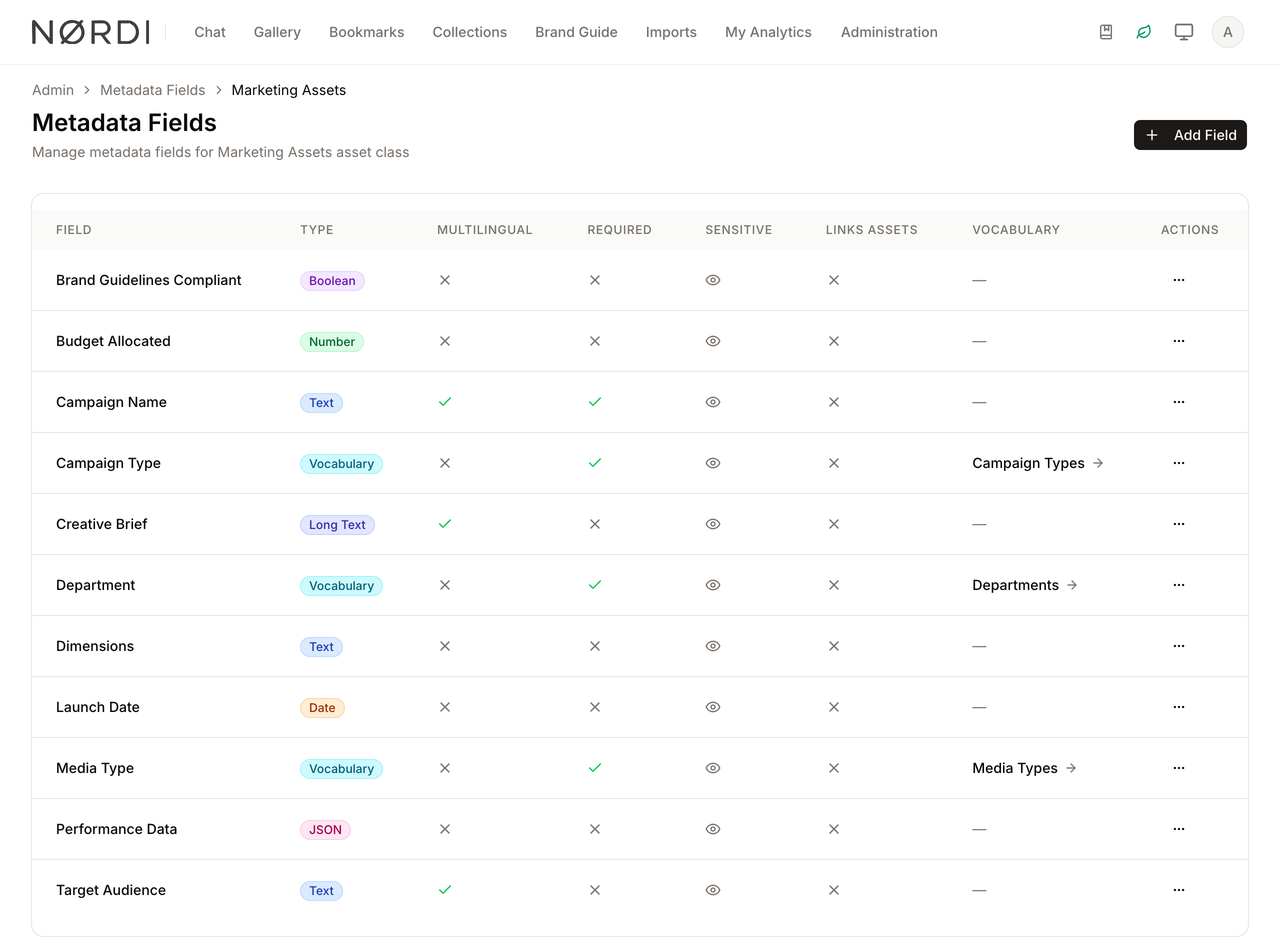
Drive gives you folders and stars. Freedam gives every asset class its own metadata schema - campaign, product line, launch date, usage terms, any field your workflow needs - with controlled vocabularies so “Q4-campaign” and “campaign Q4” can't drift apart. Fields are searchable, filterable, and enforceable at upload.

Freedam metadata fields administration showing typed fields like Campaign Name, Campaign Type, and Launch Date with required flags and linked vocabularies
Typed, required, vocabulary-backed metadata per asset class - the structure Drive folders can't express.

Distribution: share links vs brand portals

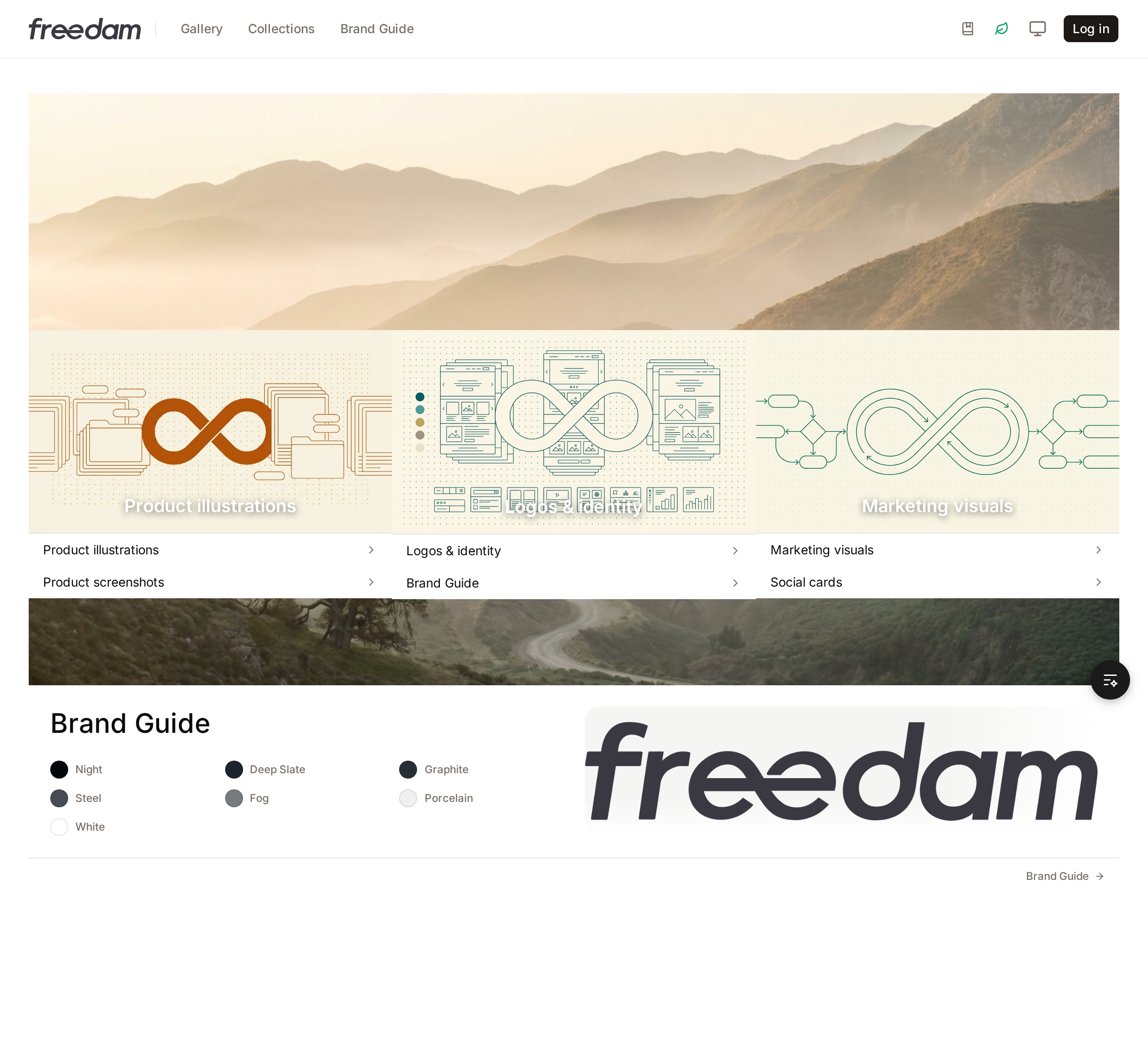
A Drive share link exposes a folder. A Freedam brand portal gives partners a branded, self-serve home for approved assets - logo packs, product shots, brand guidelines - where the only things visible are the things you published. No account juggling, no “can you resend the logo?” emails.

More on brand portals.

A Freedam brand portal as an external guest sees it: branded home page with curated collections for product illustrations, logos and identity, and marketing visuals
What an external partner sees: a branded portal with only the approved, published collections.

Approvals: hope vs workflow

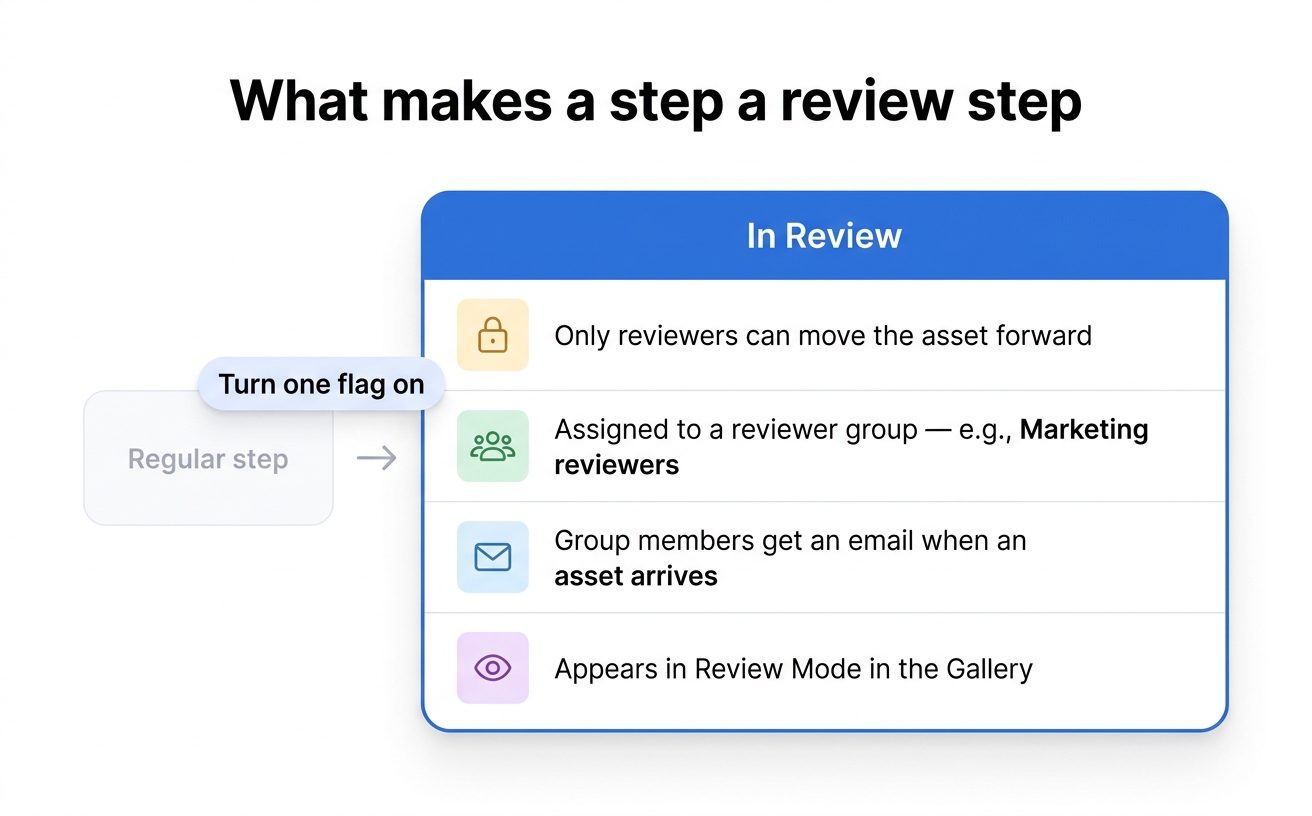
In Drive, “approved” is a folder name and a prayer. Freedam gives assets real review steps: a reviewer group is assigned, notified by email, and nothing moves forward until they sign off. The current state of every asset is visible - no more using the draft because it was the first search result.

Diagram of a Freedam review step showing four behaviors: lock until reviewed, group assignment, email notification, and review mode
A review step locks the asset, assigns a reviewer group, notifies them, and tracks the outcome.

Pricing models

Google Workspace

  • Starter - €6.80 per user / month (30 GB pooled storage)
  • Standard - €13.60 per user / month (2 TB pooled storage)
  • Plus - €21.10 per user / month (5 TB pooled storage)

Drive is part of the Workspace bundle - if you already pay for Workspace, Drive costs nothing extra. That is its strongest argument.

Freedam

  • Free - €0, free forever
  • Team - €129 / month flat, unlimited viewers
  • Business - €549 / month flat, unlimited viewers
  • Tailored - custom quote
  • AI tagging, semantic and visual search included - never metered
  • 30-day Team trial on signup, no credit card required

Flat per workspace, not per user - viewers and guests are unlimited on every plan.

Competitor list prices from the vendor's public pricing page, checked on August 11, 2026. Freedam prices are live plan data - details on our pricing page.

Frequently asked questions

Keep Workspace. Free your media.

See your own assets in Freedam

Upload a real folder from Drive and watch it get tagged, captioned, and searchable by meaning - on the free plan, before you decide anything.