
Audience Analytics
The Overview and Audience tabs of the Analytics Dashboard show who uses your library, how often, from where and on what. Use them to follow adoption after a launch, to see whether a new team or a partner portal is actually used, and to find the people to train.
You need the Open the analytics dashboard permission and the Analytics feature of your plan.
What counts as a visit
A visit (also called a session) starts with the first page someone opens and ends after 30 minutes without activity. A person who comes back within 4 hours continues the same visit. Only visits with at least one page view are counted.
A page view is a page of the application that loaded successfully. These are not counted:
- Sign-in, registration, password and invitation pages, so the figures describe people using the library, not people trying to get in.
- Freedam's support staff.
- Bots, crawlers, link previews, uptime monitors and command-line tools, recognised by their browser signature.
- Pages the browser loads in advance (prefetch) and partial refreshes of a page that is already open.
Visitors are never identified by their IP address. Freedam stores a one-way hash of it, which can tell two visits from the same address apart from others but cannot be turned back into the address.
The Overview figures
| Figure | What it counts |
|---|---|
| Total Visits | Visits started in the period. Under it, the number of unique visitors. |
| Active Users | Signed-in people with any recorded activity (a page, a view, a download, a search). Under it, the share of visits made by signed-in people. |
| Total Views | Asset pages opened. |
| Total Downloads | Downloads, including downloads from share links and ZIP downloads. |
| Total Searches | See Search Analytics. |
| Zero Results | Searches that found nothing. |
Daily Visits vs Unique Visitors draws both lines for every day of the period, with days without activity at zero. A gap between the two lines means the same people came back several times that day.
The Audience figures
| Figure | What it counts |
|---|---|
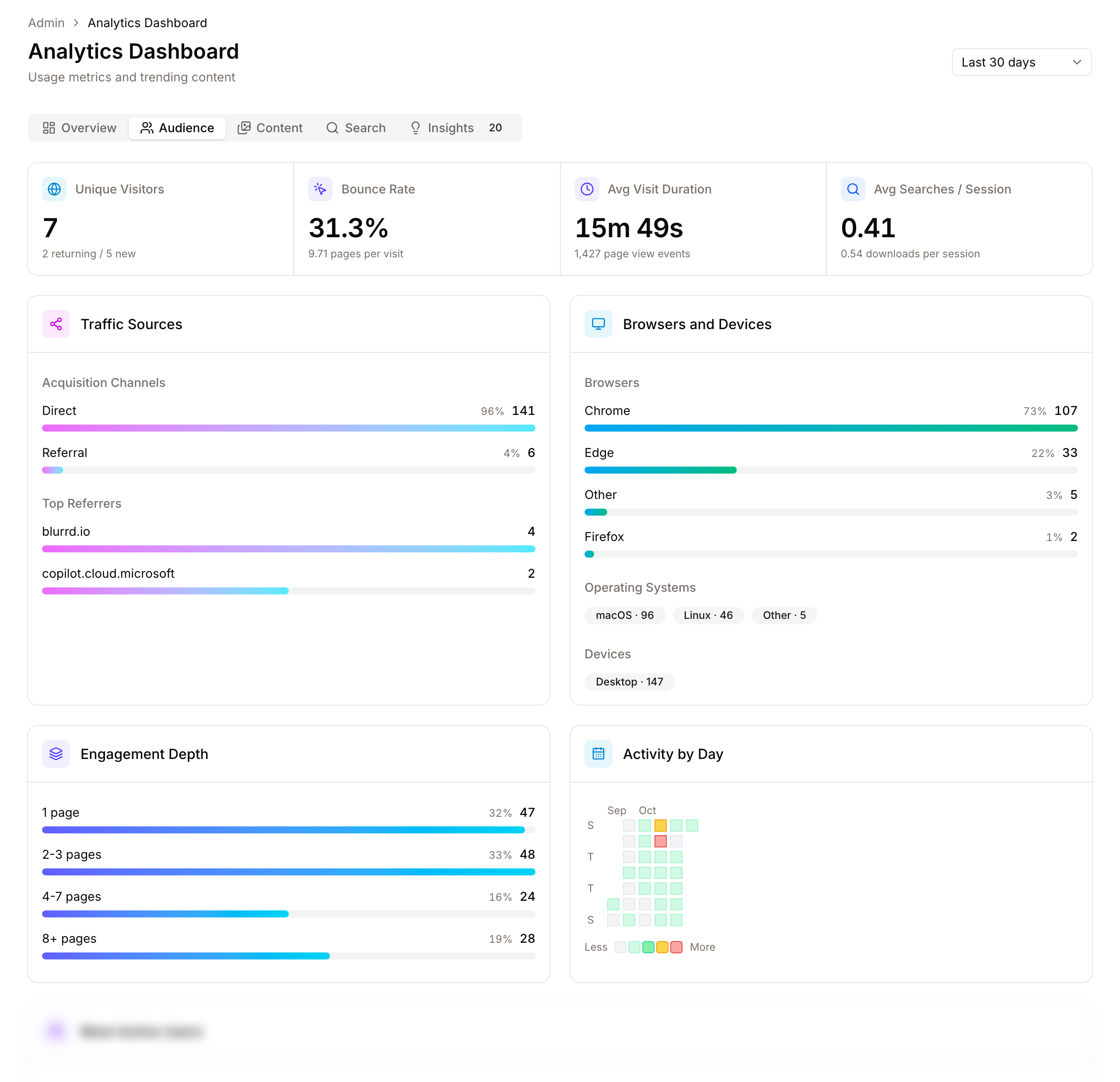
| Unique Visitors | Distinct visitors, recognised by the hash of their address. Under it, returning visitors (more than one visit in the period) and new ones. |
| Bounce Rate | Visits with a single page view that lasted less than 15 seconds. Under it, the average pages per visit. |
| Avg Visit Duration | The average length of a visit. Under it, the number of page views. |
| Avg Searches / Session | Searches divided by visits. Under it, downloads per visit. The number of visits used here is taken from the highest of three records (visits, activity and searches), so it can be slightly higher than Total Visits. |
Traffic Sources
Acquisition Channels groups visits by where they came from:
- Direct: typed address, bookmark, or a link from one of your workspace's own addresses.
- Google, Bing, Yahoo, DuckDuckGo: search engines, which mostly matter for a public DAM.
- Social: Facebook, Instagram, LinkedIn, X, YouTube, TikTok.
- Email: webmail and Outlook links, typically from share emails and announcements.
- Referral: any other website, such as your intranet.
Top Referrers lists the 6 websites that sent the most visits. If your intranet is not among them, the link to the library may be hard to find there.
Browsers and Devices
The 8 most used browsers and operating systems, and the split between Desktop, Mobile and Tablet. Check it before deciding which screens to test for a rollout: field teams often use phones far more than the office does.
Engagement Depth
Visits grouped by the number of pages opened: 1 page, 2-3 pages, 4-7 pages, 8+ pages. Many one-page visits are normal when people arrive from a share link or a direct asset link.
Activity by Day
A calendar grid with one square per day, darker when there was more activity. It counts every recorded event, including views, downloads and searches. Use it to spot launch effects, holidays, and the quiet days best suited to maintenance.
Most Active Users
The 10 people with the most visits in the period, with their average visit time, searches and downloads. Visitors who were not signed in (on a public DAM or share pages) are grouped in one Anonymous row.
This list names people. Use it to find champions to involve in a rollout and people who search without downloading, who may need help. It is not a measure of performance.
The visits of one day
Under Sessions by Day, click Show daily table. Each row is one day of the period, newest first, with its visits, average visit time, searches per visit and downloads per visit. View Details opens the visits of that day:
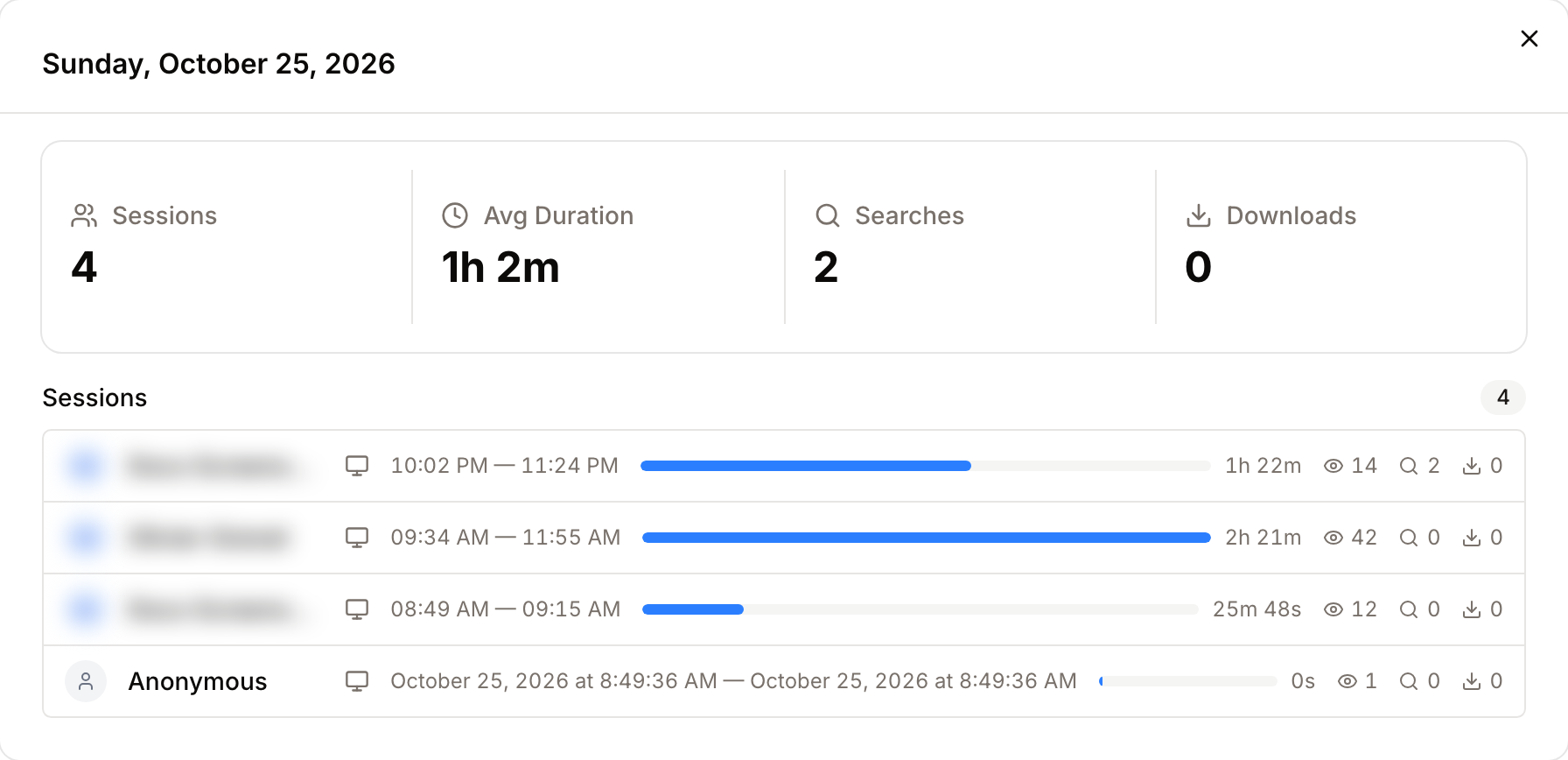
- Four figures for the day: Sessions, Avg Duration, Searches, Downloads.
- One row per visit: the person (or Anonymous), device, browser and system, start and last activity, a duration bar, and the number of pages, searches and downloads.
- Visits with downloads come first, then visits with searches, then the longest.
Following adoption after a launch
- Select Last 90 days on the Overview tab and watch Active Users and the Daily Visits chart week by week.
- On the Audience tab, compare returning and new visitors. A launch brings new visitors; adoption shows as returning ones.
- Compare Avg Searches / Session with downloads per session. Many searches and few downloads mean people do not find what they came for: go to Search Analytics.
- Check Top Referrers and Acquisition Channels to see which entry points work (intranet, email announcements, direct links).
- Look at Most Active Users for the teams that have not started yet.
Good to know
- Visit details are kept for 90 days. Events and searches are kept for one year.
- The dashboard is cached for 15 minutes per period.
- The engagement depth labels and the Anonymous label are shown in English in every interface language.
- There is no export or API for these figures.