
Searching by Meaning
Sometimes you know the feeling or concept of the image you want, but not the exact words someone typed into the filename. Meaning-based search solves that.
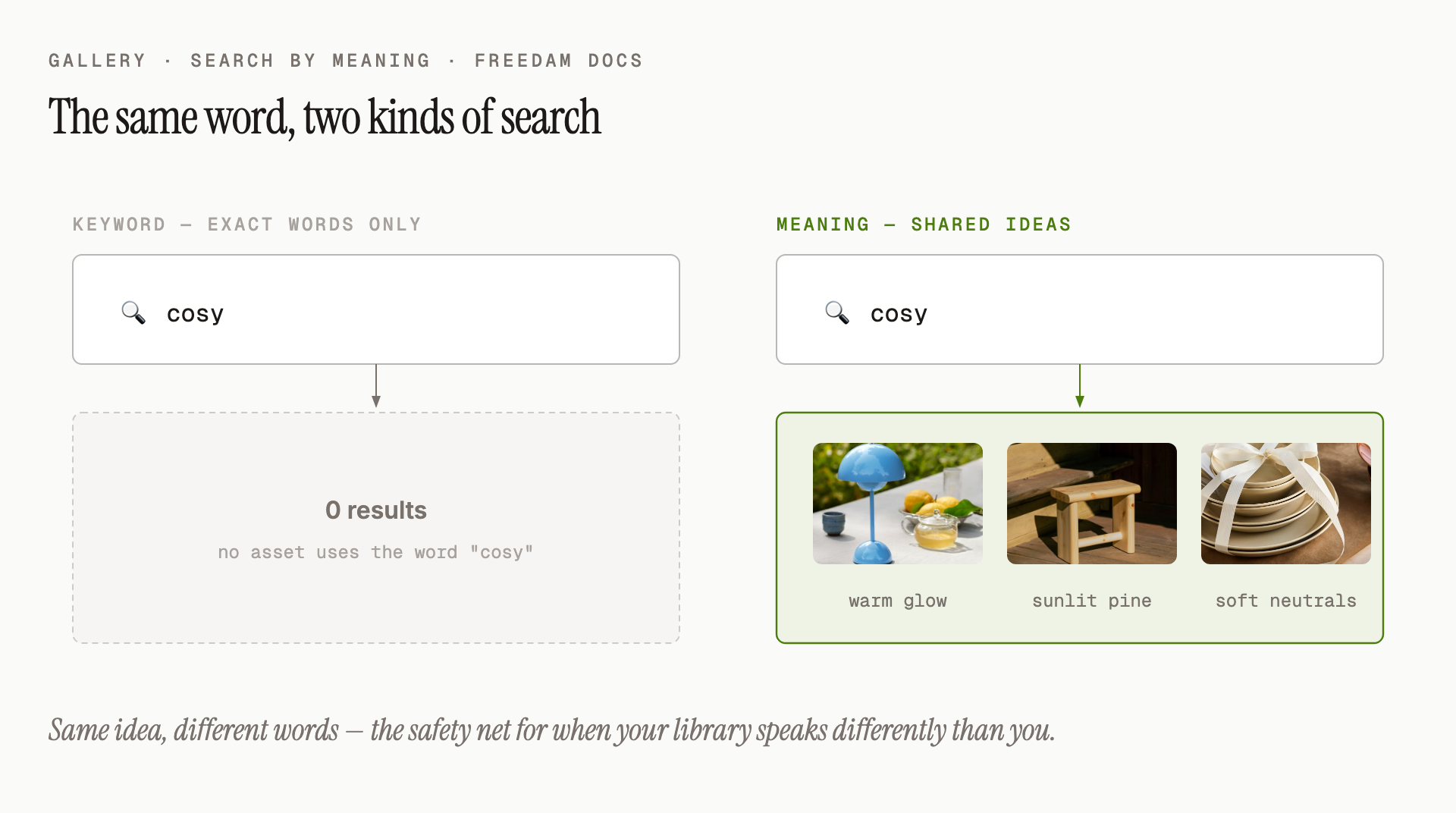
When you type a natural word or phrase into the search bar, Freedam doesn't just look for that exact word - it also looks for assets that match the concept, even if the image has no tag, title or description containing your word at all.
Why It Matters
Traditional search misses assets that were never described in the "right" words. Meaning-based search understands that:
- "cosy" might match a photo tagged warm living room, candles, blanket.
- "celebration" might match images with fireworks, champagne, birthday.
- "adventure" might match hikers, mountains, kayaks.
- "healthy food" might match salad, fruit bowl, smoothie.
None of those tagged words need to match your query word-for-word - Freedam picks them up because they share the same idea.
How It Works for You
You don't have to enable anything or switch modes. When you type into the search bar:
- The system first looks for exact keyword matches.
- At the same time, it looks for assets that are conceptually close to what you typed.
- Both sets of results are blended into a single ranked list. The stronger the match (whether by word or by concept), the higher the asset appears.
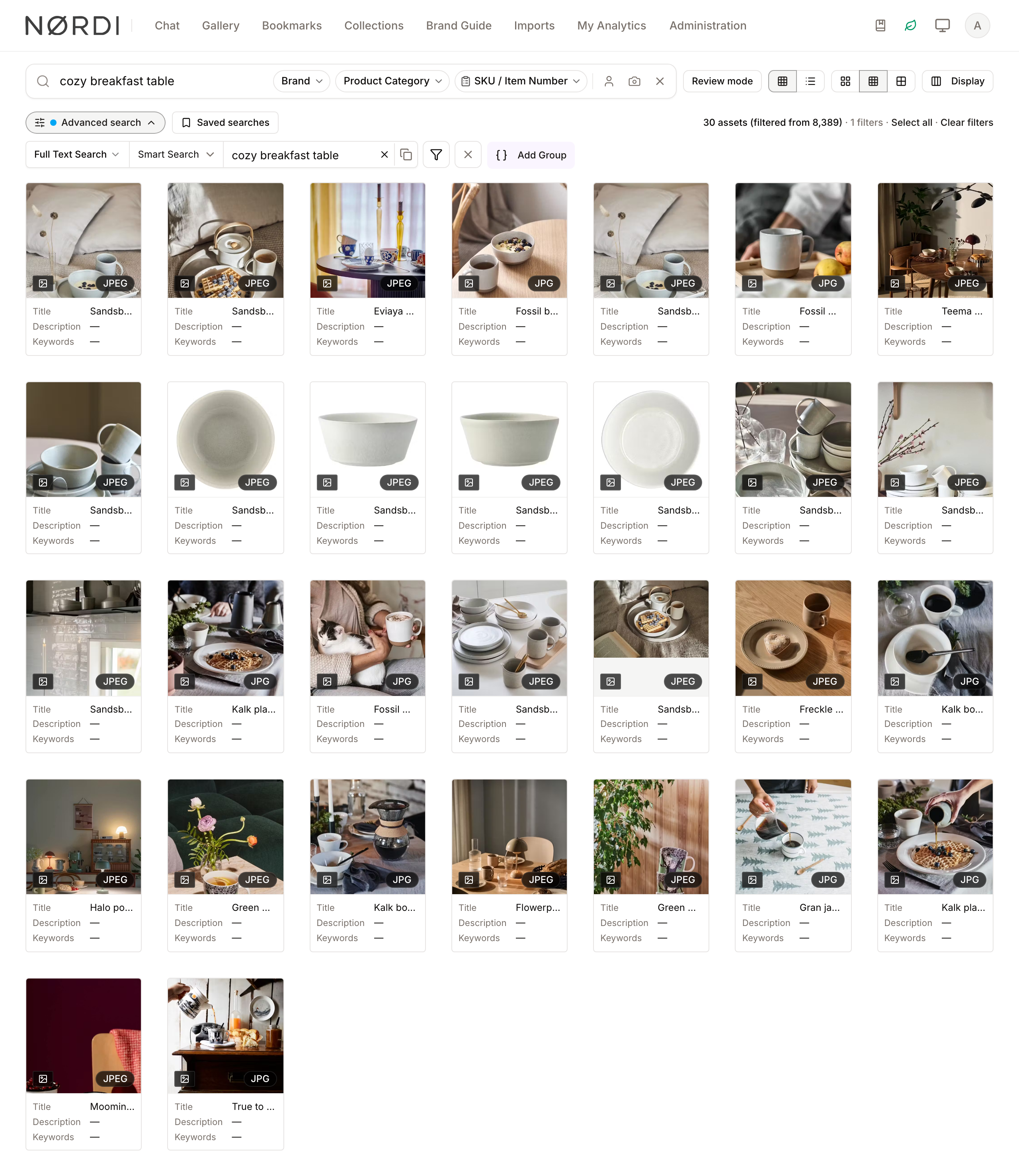
This means a search for summer vibes will return:
- Assets that explicitly say "summer" somewhere (keyword match), and
- Assets that feel like summer - beach scenes, ice cream, flip-flops - even if nothing about them is tagged "summer".
Finding Assets Similar to One You Already Have
If you have an image that's close to what you need, upload it with the camera icon in the search bar to find visual look-alikes (see Finding Visually Similar Images).
Tips
- Type naturally. Full phrases like
a happy family at the dinner tablework well and often return better results than isolated keywords. - Use this when keyword search returns too few results. It's the safety net for the times your library uses different words than you do.
- Narrow with filters, and narrow the words too. If meaning-based search returns too much, layer on a date range, file type or collection filter to tighten the selection. If a filter leaves you with far fewer results than you expected - or none at all - the search term itself is doing the damage: a very common word is capped before your filter is applied, so the assets your filter would have kept may never reach it. Make the words more distinctive, or clear the search box and use filters alone.
- It gets better with more content. The more assets you upload and the more complete their descriptions, the richer the meaning-based matches become.
What's Different from Keyword Search?
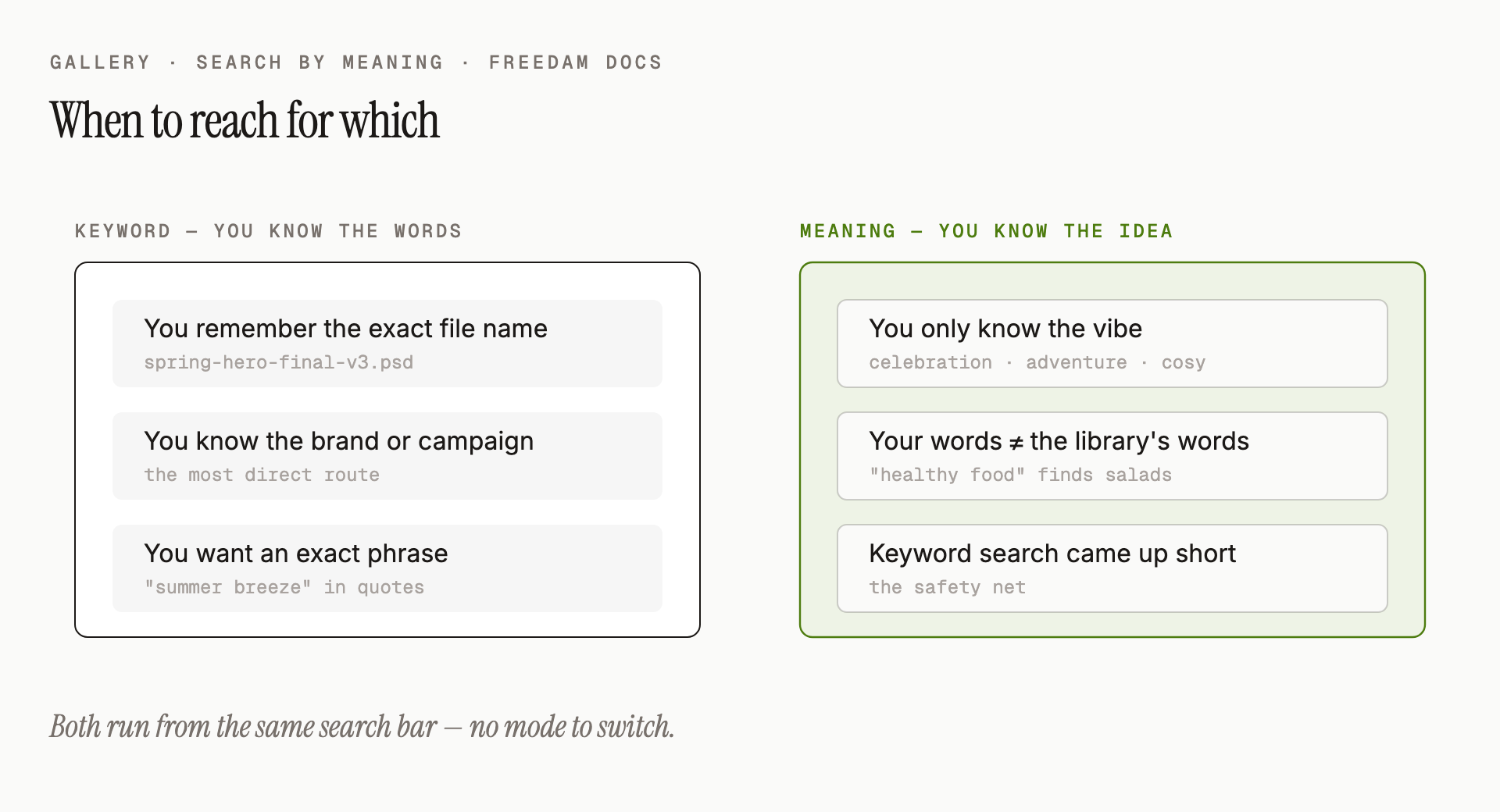
Rules of thumb:
- You remember the exact file name - keyword is the best choice; meaning-based is overkill.
- You know the brand or campaign name - both work; keyword is often the most direct.
- You want a specific phrase or product name - use quotes in keyword search for an exact match.
- You only know the feeling or theme - meaning-based is the best choice; keyword will likely miss.
- You want broad inspiration - meaning-based is the best choice; keyword is often too narrow.
Both work together automatically - you don't choose between them.
Troubleshooting
The results feel loosely connected to what I typed
- Meaning-based search is broad by design. Add a filter - for example, a collection, a date range, or an asset type - to keep only the results most relevant to your work.
- Try a more specific phrase.
sunsetis broad;orange sunset over wateris specific.
I filtered to a collection and got nothing, but I know it has matches
This is the one case where making the search narrower is the wrong move. Freedam picks the strongest matches for your words across the whole library first, then applies your filters to that shortlist. When your word is very common, the shortlist fills up with assets from elsewhere before it ever reaches your collection - so filtering to the collection leaves you with nothing, even though every asset in it matches.
What works:
- Use a more distinctive word. A product code, a model name or a phrase from the description will reach your collection where a generic word cannot.
- Clear the search box and browse the collection. Filters on their own are not capped, so the collection shows everything in it, and you can sort or add non-search filters from there.
- Search inside the collection page rather than filtering a library-wide search down to it, where that option is available.
I want only exact-word matches
Put your query in double quotes (for example "spring campaign") to force an exact-phrase keyword search and turn off meaning-based broadening. See Searching by Keyword for details.